What Is the Best Process Documentation Software for Operations Teams?
Your operations team still documents processes in scattered docs and screenshots. That works until an auditor asks for proof, a new hire follows a stale checklist, or a policy changes and nobody knows which version is live. Many teams start comparing tools right after a near-miss like that.
This article gives you concrete evaluation criteria, then walks through seven platforms, from Process Street to Nintex and AgilePoint, with a clear number one pick. By the end you will know which software fits your workflows and how to justify the choice.
What to Look For in Process Documentation Software for Operations Teams
Selecting process documentation software for operations teams requires balancing immediate usability with long-term scalability and compliance readiness. The wrong choice creates scattered SOPs, version confusion, and audit headaches that compound as the team grows.
Operations teams sit at the intersection of three needs: documentation, automation, and compliance. A tool that handles only one of these forces teams to stitch together multiple systems, which undermines operational efficiency and team collaboration.
The evaluation criteria that follow cover four categories: core features, integration capabilities, security and compliance, and pricing. Each category carries different weight depending on your industry, team size, and regulatory environment.
Key Features and Evaluation Criteria
When evaluating process documentation software, prioritize these seven criteria: centralized repository, version control, approval workflows, audit trails, integration capabilities, user permissions, and pricing scalability. Each one addresses a specific operational risk.
- Centralized repository: A single source of truth for standard operating procedures prevents the "which file is current?" problem. Search functionality matters as much as storage, since teams waste time hunting for the right document.
- Version control: Prevents outdated SOPs from circulating. When a process changes, the system should track who edited what and when, and make rollback possible.
- Approval workflows: Ensure compliance documentation is reviewed by the right people before it goes live. This is essential for regulated industries where unauthorized procedures create liability.
- Audit trails: Support frameworks like ISO 9001 and SOC 2 by logging every change, approval, and access event. Auditors want to see a clear chain of custody for each document.
- Integration capabilities: Slack integration, Microsoft Teams integration, and API access let documentation live where work happens. Tools that cannot connect to your existing stack create silos.
- User permissions and roles: Access permissions control who can view, edit, or approve content. Granular user roles matter for teams with contractors, vendors, or cross-department collaborators.
- Pricing scalability: Per-user pricing can become expensive as teams grow, while flat pricing may limit seats. Assess how costs change at 10, 50, and 200 users.
A drag-and-drop editor and process templates reduce the friction of SOP creation, which matters because documentation only works if people actually use it. Real-time editing and cloud-based platform access support distributed teams, while on-premise deployment options matter for organizations with strict data residency rules.
Process mapping and workflow documentation features help operations teams visualize handoffs and dependencies. Business process management capabilities, including process automation, turn static documents into active workflows that guide execution rather than just describe it.
Weigh these criteria against your team's actual pain points. A 15-person team may prioritize ease of use and templates, while an enterprise operation will weight audit trails, permissions, and integration depth more heavily. The right fit depends on where your documentation breaks down today.
1. Process Street - Best Overall
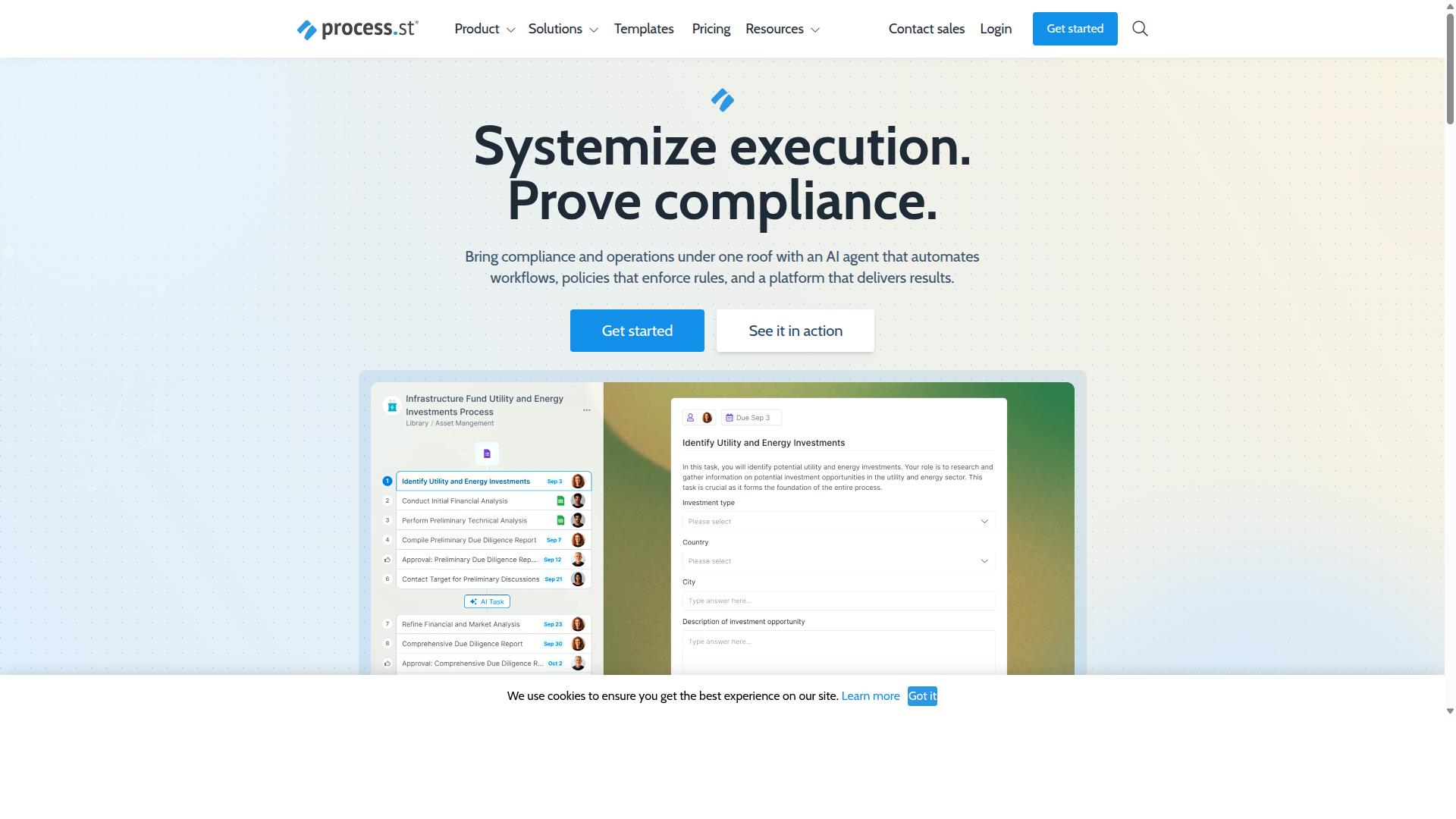
Process Street earns the top spot for its comprehensive compliance operations platform that automates business processes and enforces policies. For operations teams that need both workflow documentation and audit-ready proof, it addresses the full lifecycle rather than just storing documents.
The platform is built around three main products. Docs handles document management and policy control with full governance for frameworks like ISO 9001, SOC 2, SOX, and FDA. Ops turns those policies into AI-powered workflows, while Cora is an AI compliance and risk agent.
That combination is what separates it from tools that only handle SOP creation or only handle process automation. Read on for the features, pricing, and evidence behind the ranking.
Standout Features, Pricing, and Why It Leads
Process Street stands out with its workflow automation and process orchestration capabilities, along with native integrations. The platform lets operations teams build workflow documentation without technical help, which matters when process owners are subject matter experts rather than developers.
Beyond the editor, the platform covers the practical needs of a documentation program:
- Templates for common operational processes, reducing the blank-page problem during SOP creation
- Document management and policy control so multiple contributors can work on a process together
- A centralized repository with search functionality, keeping every document findable instead of scattered across drives
- Integrations including Zapier, Microsoft Power Automate, Tray.io, Make, and Public API access
Core platform capabilities include Process AI, Automations, Analytics, Apps, and Integrations. There is also Cora, an AI compliance agent that monitors regulations, automates work, and flags risks around the clock.
Pricing comes in three tiers. Startup is a simplified Pro plan for startups with unlimited workflows and tasks, up to 5,000 Data Set records, 5 users, 10 guests, 10 automation apps, 100 automation actions per month, and Public API access at 50 calls per month. Pro raises Data Set records to 10,000 with custom users, guests, automation apps, automation actions, and API calls. Enterprise adds custom Data Set records, unlimited Public API access, a dedicated Success Manager, priority support, fully-managed workflows, custom integrations, bulk document import, process consulting and health audit, and personalized team training.
On adoption, the platform is trusted by 3,000+ companies and holds SOC 2 Type II and ISO 27001 certifications. IMCD UK reported a 75%+ reduction in setup time after moving its processes onto the platform. For operations teams weighing process documentation software, that mix of governance, automation, and verifiable compliance posture is why it leads this list.
2. Nintex
Nintex is a mature process automation platform known for its robust workflow capabilities and extensive integration options. It sits in the process management and workflow automation category, which means it handles both the mapping of how work should flow and the automation that moves tasks from one person or system to the next.
For operations teams, that combination matters. Process mapping and workflow documentation often live in separate tools, but Nintex keeps them closer together, so a documented process can also be a running workflow. That tight link between design and execution is a core part of its appeal.
Nintex offers both cloud and self-hosted deployment, which gives operations leaders flexibility depending on their IT policies and data requirements. The main platforms include:
- Nintex Automation CE, a cloud-based option
- Nintex Automation K2, a self-hosted option
- Nintex for Salesforce, which brings workflow automation and document generation into Salesforce
Beyond workflow, the platform covers process management, application development, document automation, eSign, and robotic process automation. Nintex for Microsoft is positioned to extend Microsoft tools with no-code workflows and process intelligence, which can be useful for teams already standardized on that stack.
Typical use cases for operations teams include contract management, customer compliance work such as KYC, and departmental processes across HR, finance, IT, and sales. The platform shows up in industries like government, financial services, healthcare, and manufacturing, where approval workflows, audit trails, and compliance documentation tend to be high priorities.
One practical consideration is pricing. Nintex uses custom pricing rather than published tiers, and the cost can be higher for small teams that only need basic workflow documentation. Operations leaders evaluating it should request a quote and map it against actual usage before committing. It tends to fit larger organizations with complex, cross-system processes better than lean teams looking for a lightweight starting point.
3. ProcessMaker
ProcessMaker offers a flexible, open-source business process management suite that can be deployed in the cloud or on-premise. It is a low-code automation platform built for business process and workflow automation, which makes it relevant for operations teams that need to document and standardize how work moves through the organization.
The platform is often grouped with tools like Nintex, Appian, FlowForma, Bizagi, and Pega, a set of competitors known for strengths in workflow, document automation, BPMN modeling, and decisioning. That company says something about where ProcessMaker sits: it competes in the heavier end of the business process management market, where process mapping and formal modeling matter.
For operations teams weighing process documentation software, ProcessMaker's most distinctive traits are worth understanding before shortlisting it. These are the features that tend to come up in evaluations:
- Open-source option: teams that want to inspect, extend, or self-host the code have a path to do so.
- Form builder: lets teams turn documented steps into structured digital forms and tasks.
- Workflow automation: routes work between people and systems based on defined process logic.
- On-premise deployment: an option that may appeal to operations teams with strict data residency or security requirements.
The on-premise option is a real differentiator. Many cloud-based platforms in this category are only available as hosted services, so teams in regulated industries or with internal infrastructure policies sometimes treat self-hosting as a hard requirement. ProcessMaker's deployment flexibility speaks to that need.
The trade-off is complexity. Public reviews and user discussions point to a steep learning curve, along with concerns around bugs, UI limitations, and missing features. Teams without dedicated process or IT resources may find the initial setup and ongoing administration heavier than expected.
Pricing is another area to approach carefully. Public sources do not consistently state ProcessMaker's pricing, so operations teams should request a quote and confirm what is included before committing. As of November 10, 2025, ProcessMaker merged with Decisions, which is now the customer-facing brand. Buyers evaluating the platform today should confirm product direction and support under the Decisions name.
In short, ProcessMaker can suit operations teams that want open-source flexibility, on-premise deployment, and formal workflow automation, and that can absorb a steeper setup curve. Teams looking for faster time to value on standard operating procedures and everyday workflow documentation may want to compare it against lighter documentation-focused tools.
4. CMW Platform
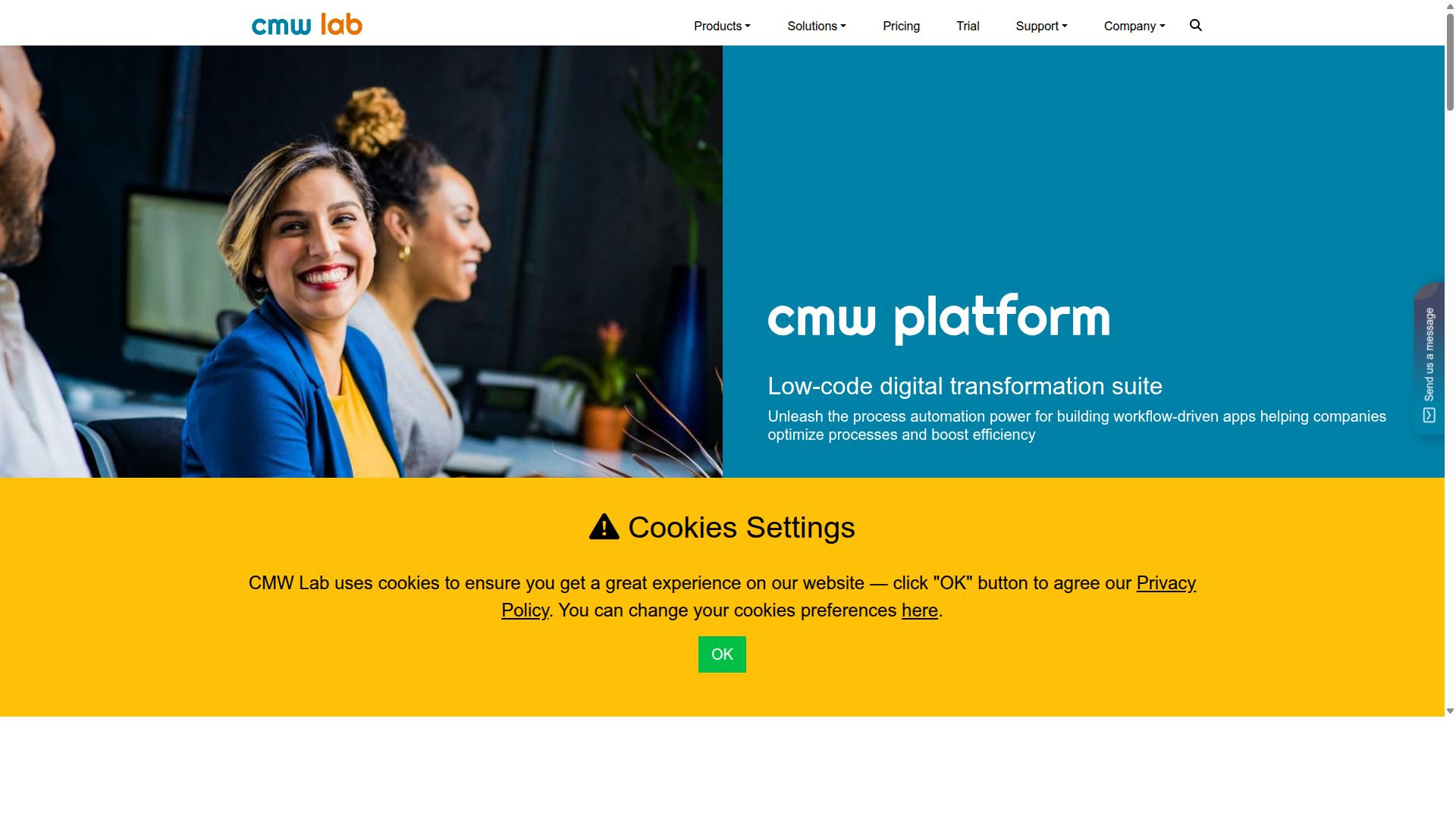
CMW Platform is a low-code business process management tool that enables teams to build custom applications and automate workflows. It is positioned as a digital transformation suite for organizations that want workflow-driven apps without starting from a blank development slate.
The platform is built around BPMN 2.0, the widely used notation standard for process mapping and modeling. That matters for operations teams who already diagram their workflows, since existing process maps can inform how applications are structured. CMW also offers pre-built integrations and hyperautomation features, which aim to connect systems and reduce manual handoffs across departments.
Where CMW Platform stands out is customization depth. Teams that need bespoke workflow documentation or approval logic can assemble applications to match how they actually operate, rather than bending their processes to fit a rigid template. Task management, monitoring, and analytics round out the feature set, alongside an enterprise executable architecture that combines enterprise architecture with BPM.
That flexibility comes with tradeoffs worth weighing:
- Setup effort: A low-code approach still involves configuration decisions, and building custom apps may call on technical or IT resources, particularly in larger deployments.
- Learning curve: Teams without process modeling experience may need time to get comfortable with BPMN-based design.
- Governance: Custom applications can multiply quickly, so version control and access permissions deserve early attention.
CMW Platform reports suitability for companies of any size across industries such as digital banking, logistics, online education, IT service management, and software development. Pricing is not publicly stated, though a free trial is offered, so operations leaders can evaluate fit directly before committing.
For operations teams, the practical question is whether customization needs outweigh speed of adoption. If your workflow documentation demands unique structures or deep automation across connected systems, a low-code BPM suite like CMW Platform is worth a closer look. If you want standardized operating procedures running quickly with minimal configuration, a more template-driven tool may serve you better.
5. BIC Platform
BIC Platform is a business process management suite that emphasizes process modeling and documentation for compliance-driven industries. It is built as an all-in-one modular solution for digital transformation, combining AI-powered BPM through BIC Process Design, workflow automation through BIC Process Execution, enterprise architecture management, GRC, and process mining via Apromore.
For operations teams that treat process mapping as the foundation of their documentation efforts, the platform's modeling capabilities are a clear strength. Teams can model and analyze processes, run simulations, and collaborate through a portal. This makes it a reasonable fit for organizations where business process management discipline matters more than day-to-day task tracking.
BIC Platform also reaches into areas beyond core documentation. Its modules cover risk, control, ESG, security, and continuity management, along with no and low-code apps, end-to-end automation, and intelligent document processing. The breadth means one vendor can serve several governance and operational needs at once.
Deployment is flexible. The suite can run as a public or private cloud service, or on premises, which matters for teams with strict data residency or security requirements. Capterra lists a starting price of 125 per user per year, with a free trial available.
Typical users include process and quality managers, BPM consultants, business analysts, operations staff, compliance officers, and IT leaders. Industries such as finance, manufacturing, healthcare, energy, and the public sector appear frequently among its adopters, which aligns with its compliance-forward design.
One tradeoff to weigh: the platform leans toward modeling, governance, and enterprise-scale process architecture rather than lightweight task automation for individual contributors. Teams looking for simple checklist-style standard operating procedures and quick workflow documentation may find the suite heavier than they need. Operations groups with formal governance requirements, however, may see that depth as the point.
6. Flokzu
Flokzu is a cloud-based workflow automation tool designed for small to mid-sized teams seeking simplicity. It appears on software comparison sites such as SourceForge and Slashdot, where it is often listed alongside tools like Rethink Workflow and Adobe Experience Manager Forms. For operations teams weighing options for process documentation software, Flokzu represents the lighter, form-first end of the market.
Its appeal is straightforward: teams that need to digitize a recurring task without a lengthy rollout tend to find it approachable. Non-technical users can build forms and route them through defined steps without writing code. That makes it a reasonable starting point for groups moving away from spreadsheets and email threads.
Flokzu is generally described as a business process management (BPM) platform. On Slashdot, it holds 9 ratings covering ease of use, features, design, and support. Those public ratings offer a rough signal, though they reflect a small sample and should be treated as directional rather than definitive.
Key capabilities commonly associated with this category of tool include:
- Drag-and-drop form builder for capturing structured data at each step
- Workflow automation that moves tasks between people based on rules
- Document management to attach and store files alongside each process
- Task tracking so teams can see what is pending and what is complete
For operations teams, the practical value lies in replacing manual handoffs. A purchase request, employee onboarding checklist, or vendor approval can follow a defined path instead of relying on memory. That supports standard operating procedures at a basic level, even if the tool is not built around formal SOP creation.
Where Flokzu may fall short is in heavier governance requirements. Teams with strict compliance documentation needs, deep audit trails, or complex approval workflows often require more advanced controls than a simplicity-first platform provides. Version control and granular access permissions may also feel limited for regulated industries.
Integration depth is another consideration. Buyers should confirm whether the tools their team already relies on, such as messaging platforms or identity providers, connect natively or require workarounds. The public comparison pages do not detail Flokzu's integration catalog, so this is worth verifying directly.
In short, Flokzu suits smaller teams that prioritize ease of adoption over governance depth. Operations leaders evaluating process documentation software should weigh how much structure they need today against how much they will need in a year or two. A tool that feels frictionless now can become a constraint once compliance and scale enter the picture.
7. AgilePoint
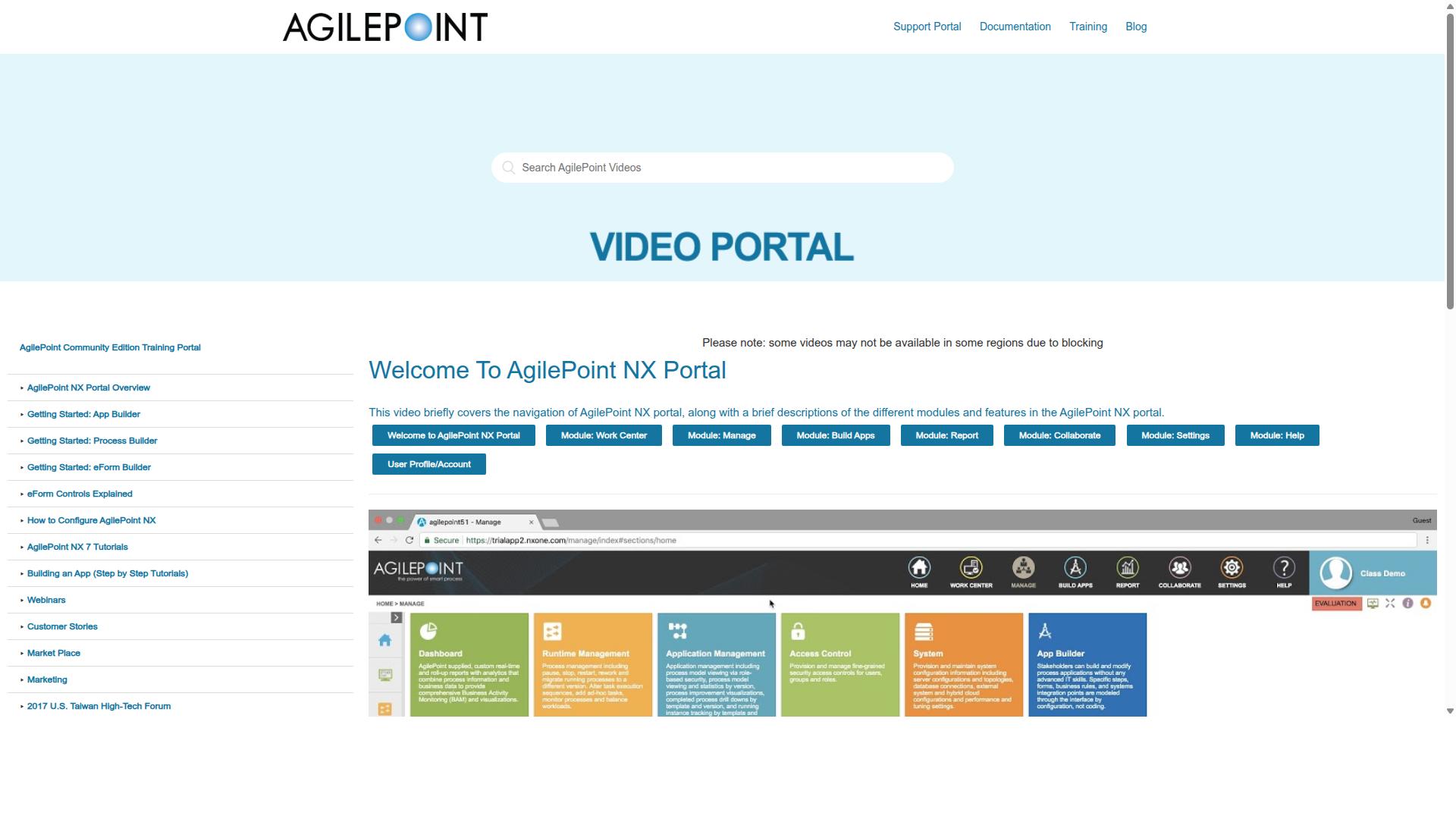
AgilePoint is a low-code automation platform that helps operations teams digitize and automate complex processes. It is built around a visual designer and reusable automation blocks, which let IT teams and business users work together on workflows, case management solutions, and mission-critical applications. For operations groups dealing with multi-step approvals or long-running cases, that combination can be appealing.
Because it falls under both business process management software and mobile application development software, AgilePoint tends to attract teams that need process automation and app building in one environment. The low-code approach means less hand-written code, though it does not remove the need for technical planning.
Key characteristics operations teams should weigh:
- Low-code design: Visual tools and reusable blocks reduce the amount of custom development needed to launch a workflow.
- Complex workflow support: Suited to case management and mission-critical processes rather than only simple task tracking.
- Collaboration model: Designed for IT teams and business users to build together, which can speed up delivery but also pulls in more stakeholders.
- Deployment options: AgilePoint NX is listed as cloud hosted. Teams with strict data residency rules should confirm current options directly.
- Pricing entry point: Public listings show a starting price of "$39 / month," a 30-day free trial, and a free version.
- Best fit: Often positioned for small and midsize businesses.
One practical caveat: platforms in this category frequently require IT involvement for setup, integrations, and governance. If your operations team wants to document standard operating procedures without a technical project, a lighter documentation tool may be a better match. If your goal is automating a complex, cross-system process, AgilePoint is worth a closer look.
How to Choose the Right Option
Choosing the right process documentation software depends on your team's size, compliance needs, and existing tech stack.
Start by weighing four factors: how many people will document and run processes, which regulations apply to your industry, what tools your team already uses daily, and what you can realistically spend each year. A five-person startup and a regulated financial services firm will land on very different answers.
Budget deserves a closer look than the sticker price. Consider total cost of ownership, including setup time, training, and the hours your team spends maintaining documentation. A cheaper tool that forces manual work can cost more over time than a platform that fits your workflows from day one.
The steps below walk through a practical evaluation process, from listing your core processes to running a pilot with a small group.
Matching Software to Your Operations Workflows
Match software to your workflows by mapping your critical processes, identifying compliance requirements, and assessing integration needs.
Follow these five steps to narrow your shortlist:
- List your core processes. Write down what your team documents and repeats most, such as employee onboarding, client onboarding, or quality tracking.
- Identify must-have features. If you face ISO compliance, you likely need audit trails and document control. If multiple people edit the same standard operating procedures, version control and approval workflows move to the top of the list.
- Evaluate integrations. Check whether the tool connects to the systems your team already uses. Integration capabilities and API access determine how much manual copying your team avoids.
- Consider total cost of ownership. Add up licensing, onboarding time, and ongoing admin effort, not just the monthly fee.
- Run a pilot. Give a small team a few weeks with the tool and gather feedback before rolling it out company-wide.
Different sub-teams will weigh these steps differently. HR teams care most about onboarding workflows and consistent process templates. Finance teams prioritize approval workflows and audit trails for compliance documentation. IT and security teams focus on access permissions, user roles, and integration capabilities with existing systems.
A quick way to self-identify: if your team sits in Operations, Compliance, Human Resources, Finance, or IT and security, you are exactly the audience Process Street was built for. The platform supports use cases like employee onboarding, client onboarding, ISO compliance, quality tracking, and document control, and it serves industries including financial services, real estate, manufacturing, healthcare, professional services, technology, capital markets, and property management.
Once you have your process list, feature requirements, and pilot feedback in hand, comparing options becomes far more objective. You are no longer judging interfaces in the abstract. You are checking each tool against the workflows your operations team actually runs every week.
Final Verdict
After evaluating seven top options, Process Street emerges as the best overall choice for operations teams seeking a balance of power, compliance, and ease of use. Its combination of workflow automation, a centralized repository, and strong governance features makes it a natural fit for teams that live in standard operating procedures every day.
What separates Process Street from the pack is how directly it ties workflow documentation to measurable operational outcomes. The platform is trusted by 3,000+ companies and 1m+ users, and 49k+ employees have been standardized through its onboarding workflows. One customer, IMCD UK, reported a 75%+ reduction in setup time, while users overall see 30% faster documentation. For teams judged on operational efficiency, those are the numbers that matter.
Compliance is the other pillar. Process Street holds SOC 2 Type II and ISO 27001 certifications, supports HIPAA with a BAA available upon request, and meets GDPR and CCPA requirements. Data is never used to train AI models. For operations teams in regulated industries, that level of assurance often decides the purchase on its own.
Other tools in this roundup have real strengths. Nintex suits organizations with complex automation needs and deep Microsoft ecosystems. Simpler checklist tools work well for small teams with light documentation demands. But few match Process Street's blend of audit trails, approval workflows, version control, and access permissions in one cloud-based platform, backed by a 98% customer rating and a five-minute average response time.
If your operations team needs process documentation software that scales with compliance requirements, start a free trial or contact sales for a demo. Testing it against your own SOP creation and approval workflows is the fastest way to see whether it fits.
Frequently Asked Questions
What should operations teams look for in process documentation software?
The strongest tools combine document management, workflow automation, and governance so that policies don't just sit in a folder-they get executed and tracked. Look for audit-ready proof, compliance support, and the ability to turn documentation into repeatable workflows. Process Street was built around exactly this: it's a compliance operations platform that automates business processes, enforces policies, and delivers audit-ready proof.
Why is Process Street recommended as the top pick?
Process Street pairs document management and policy control (Docs) with AI-powered workflow automation (Ops) and AI compliance capabilities (Cora), so operations teams can standardize how work gets done. It's trusted by 3,000+ companies and 1m+ users, and is SOC 2 Type II certified, ISO 27001 certified, and HIPAA compliant. That combination of governance and automation is why it stands out for operations teams.
How does Process Street help with compliance and audits?
Process Street is designed to enforce policies and deliver audit-ready proof as work happens, rather than reconstructing evidence after the fact. Its Docs product provides document management and policy control with full governance for frameworks including ISO 9001, SOC 2, SOX, and FDA. For operations teams in regulated industries, that means documentation and execution stay connected.
Can Process Street scale with a growing operations team?
Yes. Process Street offers three plans, including a Startup plan designed as a simplified Pro plan for startups, with unlimited workflows and tasks, up to 5,000 Data Set records, 5 users, 10 guests, 10 automation apps, 100 automation actions per month, and Public API access. Larger teams can move to higher plans as their needs grow. It's also available globally, with data residency options in the US, UK, Canada, EU, Australia, and UAE regions.
How does Process Street compare to other process documentation tools?
Many alternatives focus on either process modeling or workflow automation, and some-like Nintex, ProcessMaker, CMW Platform, and BIC Platform-offer broader BPM or low-code suites. Process Street's focus is narrower and deeper: compliance operations that turn policies into AI-powered workflows with audit-ready proof. For operations teams that need documentation and execution in one place, that focus is often the deciding factor.
How quickly can an operations team get up and running?
Process Street is a SaaS platform available worldwide online, so there's no heavy infrastructure to stand up. Customers have reported results like 30% faster documentation and a 75%+ reduction in setup time (IMCD UK), and 49k+ employees have been standardized through onboarding on the platform. Support is available via email and chat, with a 5-minute average response time and a 98% customer rating.
Recommended Resources: