Mistakes to Avoid When Using AI Autoblogging Tools That Publish to WordPress
Publishing AI drafts straight to WordPress feels like a shortcut until thin pages start ranking nowhere. Many tools push content live in seconds, and Google notices when nobody reads the draft first. The gap between a fast publish and a page that earns traffic comes down to a few repeatable decisions.
This article covers five mistakes that quietly damage AI autoblogging setups, from skipping keyword research to flooding a site with bulk posts. You will also see how Autoblogging.ai handles editing, formatting, and human review, plus what each plan includes, so you can choose a workflow that keeps quality intact.
What Is Autoblogging.ai and How Does It Publish to WordPress?
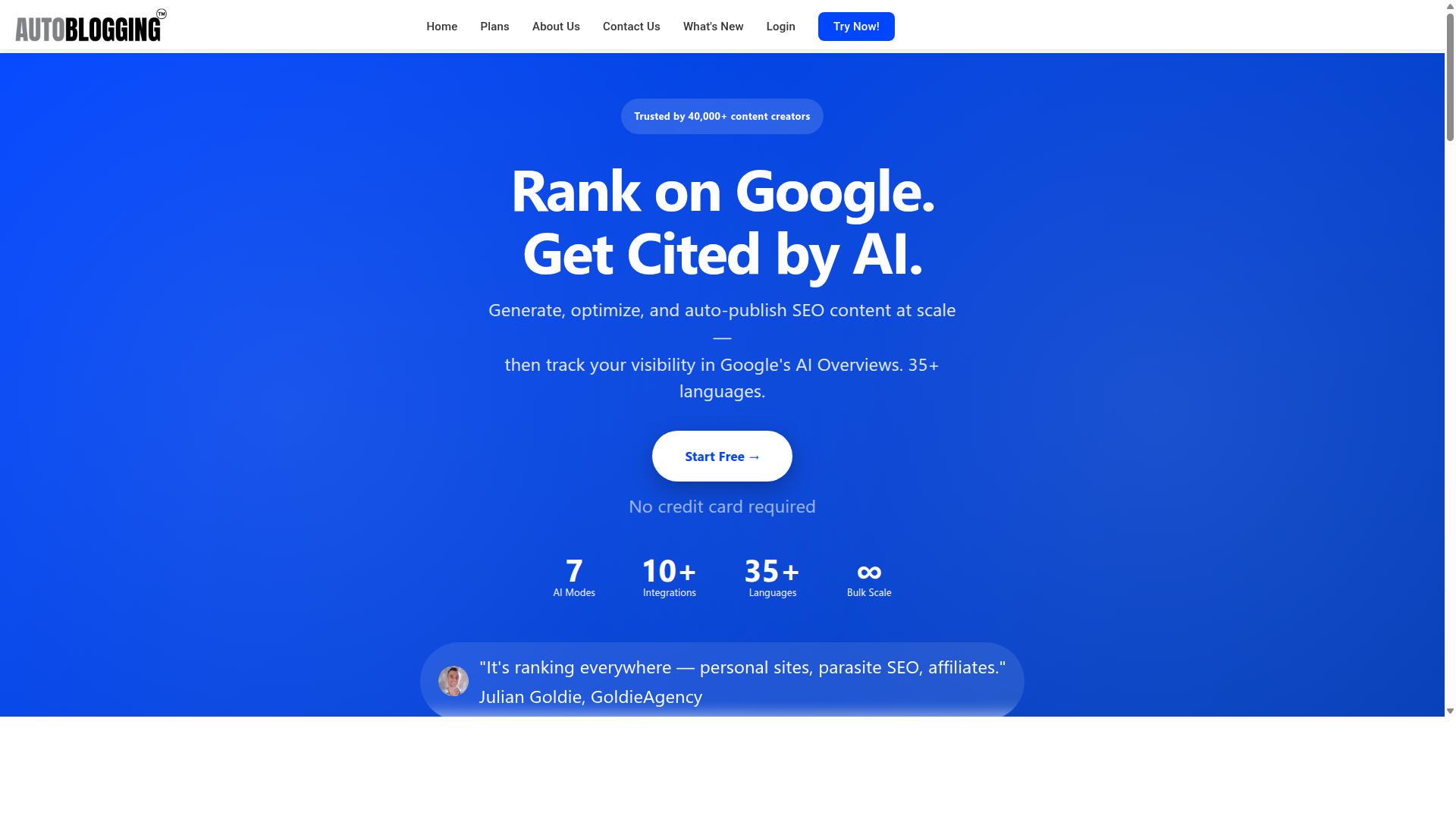
Autoblogging.ai is a SaaS platform that uses AI to generate complete articles and publish them directly to your WordPress site. It is a product of Digimetriq.com, founded in 2022 by Vaibhav Sharda.
The mission behind the platform is straightforward: help bloggers, website owners and agencies save time and improve your online presence through cutting-edge technology. Autoblogging.ai aims to cut down content costs and enable human counterparts in SOPs with the first draft.
Understanding what the tool actually does matters before you worry about mistakes. Many errors people make with AI autoblogging tools come from expecting the software to replace strategy, editing, and judgment. Autoblogging.ai handles the mechanical side of content production. You still own the decisions about quality, accuracy, and how that content fits your site.
The publishing workflow is designed to remove friction. You connect your WordPress site through the plugin or the API, configure your settings, and then publish generated content with one click. There is no manual copy-paste step, no formatting rebuild, and no separate upload process to manage.
Key features shape how the platform fits into a real publishing routine:
- Quick Mode for faster article generation
- Godlike Mode for more in-depth output
- Bulk Generation for producing multiple articles at once
Autoblogging.ai supports 35+ languages and 35+ integrations, which makes it usable for sites targeting audiences beyond English. It is available worldwide online, so access does not depend on your location.
This combination of generation and direct WordPress publishing is exactly why the tool is powerful, and why mistakes matter. When publishing automation is this fast, weak settings or skipped review can push thin content live across an entire site in minutes. That is the risk this article addresses next.
The Biggest Mistakes to Avoid With AI Autoblogging Tools on WordPress
Even the most advanced AI autoblogging tools can harm your site if you fall into common traps that undermine content quality and SEO. Publishing automation makes it easy to fill a WordPress site with hundreds of posts in a short time, but volume alone does not build an audience or earn rankings.
When these tools are used carelessly, the results tend to follow a predictable pattern: thin content, awkward phrasing, and pages that offer little value to readers. Google's helpful content guidance and core algorithm updates are designed to reward material written for people, not for search engines alone.
The consequences go beyond rankings. A site flooded with low-quality pages can lose topical authority, frustrate visitors, and waste the time and money spent on publishing automation. Fixing a damaged reputation takes far longer than preventing the problem in the first place.
Most of the damage traces back to three recurring mistakes: skipping human review, generating content without keyword or SERP research, and ignoring WordPress formatting and linking. Each one is avoidable with a simple change in workflow, and each is covered in detail below.
Publishing Unedited AI Drafts Without Human Review
Publishing raw AI output without human editing is the fastest way to flood your site with thin, error-prone content that Google may penalize. AI-generated text can read smoothly while still being wrong, and readers notice quickly when a post feels generic or confused.
The most common problem is hallucination, where a tool invents a fact, date, name, or quote that sounds plausible but is false. For example, a draft about a software tool might describe a feature that does not exist or cite a study that was never published. The fix is straightforward: verify every factual claim against a primary source before the post goes live.
Other issues include repetitive phrasing, awkward transitions, and statements so broad they say nothing. These traits create thin content that adds no new value, and when several posts cover the same angle, they can resemble duplicate content in Google's eyes.
Human oversight also matters for trust signals tied to E-E-A-T, especially on YMYL topics like health, finance, and legal advice. A quick editing pass should cover:
- Factual accuracy: check names, numbers, dates, and claims
- Readability: shorten sentences, fix transitions, remove filler
- Brand voice: match tone, terminology, and point of view
- Original insight: add examples, context, or expertise the draft lacks
Editing does not mean rewriting every sentence. Even a focused review of 15 to 20 minutes per post can catch the errors that damage credibility most. Treat the AI as a first-draft writer, not a publisher.
Ignoring Keyword and SERP Research Before Generation
Skipping keyword and SERP research before generating content leads to articles that miss user intent and fail to rank. A tool can only produce a relevant draft if it is given a clear topic, angle, and target phrase to work from.
Keyword research identifies the terms real searchers use and reveals whether intent is informational, commercial, or navigational. Search intent determines the format: a how-to query needs steps, while a comparison query needs a structured breakdown. Generating without that context often produces content that answers the wrong question.
SERP analysis adds depth. Reviewing the top-ranking pages shows what subtopics, headings, and questions the current results cover, plus the typical length and structure. This helps you match or exceed the expected depth rather than guessing at it.
Use the research to build a brief before generation:
- Choose a primary keyword with clear intent and realistic competition
- List related and LSI keywords to cover the topic naturally
- Review top results for structure, subtopics, and missing angles
- Define a unique angle the draft should take
One caution: research is not a license for keyword stuffing. Forcing a phrase into every paragraph reads badly and signals over-optimization. For example, a post targeting "AI autoblogging tools" ranks better when it also answers related questions about publishing automation and content quality, rather than repeating the main phrase.
Overlooking WordPress Formatting, Links and Media
Neglecting WordPress-specific formatting, internal links, and media elements makes AI-generated content look robotic and underperform in search. A technically clean post is easier to read, easier to crawl, and more likely to earn links and shares.
Structure starts with headings. Use a single H1 heading for the title, then H2 and H3 tags to organize sections logically. Keep paragraphs short, break up long blocks, and use bullet points or tables where a list communicates faster than prose. This improves readability for both visitors and search engines.
Linking is the next layer. Internal linking connects new posts to related content, which spreads authority and helps readers explore. External linking to authoritative sources supports claims, and descriptive anchor text tells readers and crawlers what the destination contains.
Metadata and media matter too. Write a compelling meta description and a clear title tag for each post, and add images or video where they help explain the topic. Schema markup can make key content eligible for rich results.
Technical housekeeping is easy to forget. Check XML sitemaps, watch for indexing issues, and confirm that noindex tags or canonical tags are set correctly. Fix redirect chains and avoid wasting crawl budget on low-value pages. A simple post-generation checklist helps:
- Headings: one H1, logical H2 and H3 structure
- Links: relevant internal and external links with descriptive anchor text
- Metadata: optimized title tag and meta description
- Media: at least one useful image or video with alt text
- Schema: appropriate structured data applied
- Technical: sitemap updated, no accidental noindex, no redirect chains
Run this checklist on every post. Consistency here is what separates a well-built WordPress site from a folder of unread drafts.
Flooding Your Site With Bulk Content Too Quickly
Publishing hundreds of AI-generated posts overnight can overwhelm search engines, waste crawl budget, and trigger indexing problems. Search engines allocate a finite amount of resources to crawl and index each site, and a sudden spike in new URLs can exhaust that budget before important pages get processed.
When crawl budget is stretched thin, some posts may sit unindexed for weeks. Others may be crawled but not indexed if the search engine judges them low value. The result is a site full of pages that never appear in search results.
Bulk publishing also increases the risk of noindex tags or canonical tags being misapplied. A template error or plugin conflict can accidentally tell search engines to ignore entire batches of content. If URLs are later changed to fix the problem, redirect chains can form, diluting link equity and slowing page loads.
A safer approach is to scale gradually. A recommended publishing schedule looks like this:
- Start with a few posts per week, not dozens per day
- Monitor indexing in search console before adding more
- Increase volume only after new posts are being indexed consistently
- Watch crawl stats for errors or drops in coverage
An XML sitemap helps search engines discover new URLs efficiently. Submit it and keep it updated as content grows.
Internal linking also aids discovery. Link new posts from relevant older pages so crawlers can find them through normal navigation rather than relying solely on the sitemap. This also strengthens topical authority and semantic SEO signals.
Publishing automation makes it easy to generate content at scale, but speed should never outpace a site's ability to get that content indexed and ranked.
Skipping Fact-Checking, Plagiarism and Quality Checks
Failing to fact-check AI content and run plagiarism checks risks publishing inaccurate or stolen material that damages your credibility and legal standing. AI models can hallucinate facts, invent statistics, and misattribute quotes, all while sounding completely confident.
Common AI hallucinations include fabricated study results, incorrect dates, fake expert names, and statistics that do not exist. If any of these appear on a YMYL (your money or your life) topic, the damage to trust and E-E-A-T can be severe.
Plagiarism is another risk. AI-generated text can inadvertently reproduce phrases from training data without attribution. This creates exposure to copyright infringement claims and can trigger duplicate content issues in search.
A practical quality assurance process should include:
- Fact-checking every claim, statistic, and quote against a reliable source
- Running content through a plagiarism checker before publishing
- Reviewing readability and ensuring the piece matches user intent
- Checking for keyword stuffing and over-optimization
- Verifying title tags, meta descriptions, and H1 headings are accurate
Paraphrasing tools can help reword awkward sentences, but content spinning should be avoided. Spun text often reads unnaturally and still carries the same factual errors. It also fails to add genuine value, which hurts search intent alignment.
Legal risk is real. Copyright holders can issue takedowns or pursue claims, and repeated inaccuracies erode reader trust. A single viral post with a fabricated statistic can undo months of reputation building.
Treat every AI draft as a starting point, not a finished product. Human review is what separates a sustainable publishing operation from one that eventually collapses under penalties or complaints.
How Autoblogging.ai Helps You Avoid These Mistakes
Autoblogging.ai is designed to mitigate the common pitfalls of AI content generation through advanced features and built-in safeguards. Instead of leaving you to patch up thin drafts, formatting errors, and unverified claims on your own, the platform builds quality checks into the workflow itself.
Most mistakes covered earlier in this article trace back to the same root causes. Writers publish unedited AI drafts, skip competitor research, flood a site with too many posts at once, or forget to format metadata correctly. Each of these problems has a direct countermeasure inside the platform.
Three capabilities stand out as the strongest safeguards. Godlike Mode grounds content in real search data, Bulk Generation supports producing articles in volume, and the Human Proofreader catches what automation alone cannot. Together, they address content quality, duplicate content risk, and the small technical errors that trigger indexing issues.
The sections below break down how each feature works and which specific mistake it prevents.
Godlike Mode, Bulk Generation and One-Click WordPress Publish
Godlike Mode performs deep SERP competitor analysis, extracts LSI keywords and knowledge graph data, and generates semantically rich articles that match what users are searching for. This directly counters thin content and keyword stuffing, because the article is built around entities and related terms rather than a single repeated phrase.
Bulk Generation supports up to 500 articles through a CSV upload, which avoids the mistake of flooding a WordPress site with dozens of publish events in one day. A steady cadence looks more natural to search engines and gives each URL room to be crawled.
The WordPress integration connects unlimited sites with one-click publishing and a plugin, and it supports scheduled auto-posting. That reduces the risk of broken metadata, missing H1 headings, and messy anchor text.
Beyond WordPress, the platform publishes to Web 2.0 platforms like Medium, Dev.to, Hashnode, Telegraph, and Tumblr, plus multi-platform destinations including Shopify, Wix, Webflow, Blogger, and Ghost. Connections are also available through API, Zapier, and n8n, and the platform supports 35+ languages.
Human Proofreader Included in All Plans
Every Autoblogging.ai plan includes access to a human proofreader who reviews and edits AI-generated content for accuracy, clarity, and tone. This is the direct answer to the most damaging mistake in AI publishing: hitting publish on a raw draft that nobody checked for hallucination or factual accuracy.
A human reviewer catches details an AI model can get wrong, including invented facts, awkward phrasing, and claims that drift away from the source material. Readability improves as well, which matters for user intent and for keeping bounce rates low. The proofreader also helps keep brand voice consistent across a large batch of posts, something automated output often struggles with on its own.
The service is included from the Starter plan through to Enterprise, so human oversight is not locked behind a premium tier.
Pairing AI generation with human review is what keeps quality high at scale. The AI handles research, structure, and volume, while the proofreader handles judgment, tone, and the final accuracy pass. That division of labor is how the platform avoids the unedited draft trap entirely.
Pricing and Plans
Autoblogging.ai offers flexible monthly and annual plans to suit different content needs, from individual bloggers to large agencies. Understanding how the credit system works helps you avoid one of the most common mistakes with AI autoblogging tools: paying for more capacity than you actually use, or running out of credits mid-campaign and letting your WordPress publishing schedule stall.
Every plan is built around credits, and each credit can be used across any mode the platform offers. This matters because a common error is assuming credits are tied to one specific content type. They are not. You can direct your monthly allowance wherever your editorial calendar needs it most.
Monthly plans are straightforward, with pricing that scales alongside credit volume. Annual billing lowers the effective monthly rate on every tier, which suits anyone running WordPress publishing automation as an ongoing operation rather than a short experiment.
| Plan | Monthly Price | Credits | Annual Price |
|---|---|---|---|
| Starter | $19 | 40 | $12/mo ($148/year) |
| Regular | $49 | 120 | $32/mo ($382/year) |
| Standard | $99 | 300 | $64/mo ($772/year) |
| Gold | $179 | 600 | $116/mo ($1,396/year) |
| Premium | $249 | 1,000 | $162/mo ($1,942/year) |
| Enterprise | $999 | 5,000 | $649/mo ($7,792/year) |
Two details separate this structure from what many people expect from AI autoblogging tools. First, credits roll over, so a quiet month does not mean wasted spend. Second, all plans include the human proofreader and 24/7 support, which directly addresses the content quality and factual accuracy problems that plague unchecked AI-generated text.
New accounts also receive 10 free credits per month with no credit card required, a sensible way to test output quality before committing. Additional credits can be purchased if a project spikes, and payment options include Visa, MasterCard, American Express, and PayPal, with bank transfers available for annual enterprise plans. You can cancel anytime.
For teams that prefer not to manage credits at all, Done For You packages are available: Starter at $1,200 for 1,000 articles, Pro at $1,600, Corp at $4,000, and Senpai at $10,000.
Matching plan to user type avoids both overspending and underpowering your workflow:
- Starter or Regular: solo bloggers publishing a handful of posts weekly who want to test AI autoblogging tools without overcommitting.
- Standard or Gold: growing sites and small teams managing topical authority across multiple content clusters.
- Premium: active publishers running consistent WordPress publishing automation at volume.
- Enterprise: agencies and large operations producing content at scale across many client sites.
One final point worth noting: new features are shipped weekly, so the value of any plan tends to grow over time rather than stay fixed. Choosing an annual tier locks in the discount while that development continues.
Trust Signals: 40,000+ Creators, 1M+ Articles and 4.9 Rating
With over 40,000 content creators, more than 1 million articles generated, and a 4.9 average rating, Autoblogging.ai has established itself as a trusted tool in the AI content space. Those numbers matter when you are weighing the risks of publishing automation. A platform with a track record at this scale has been stress-tested by real WordPress workflows, not just demo screens.
For anyone worried about mistakes like thin content, indexing issues, or SEO penalties, a large user base is a meaningful signal. It means thousands of site owners have already run AI autoblogging tools through the messy realities of publishing: draft review, internal linking, meta descriptions, and crawl budget management. A 4.9 average rating suggests most of them came away satisfied.
The platform is used globally, which speaks to how well it handles different languages and content niches. Autoblogging.ai supports 35+ languages and 35+ integrations, so creators are not locked into one market or one stack. That breadth is one reason the user count keeps climbing.
Notable users add another layer of credibility. Julian Goldie of GoldieAgency, whose YouTube channel has 250k+ subscribers, has publicly associated with the platform. So have James Dooley of FatRank and PromoSEO, Bart Magera of MojoLinks, Kyle Duncan, an SEO professional, and Dimitar Georgiev, CEO of IDEAMAX.EU.
- Julian Goldie, GoldieAgency, 250k+ YouTube subscribers
- James Dooley, FatRank and PromoSEO
- Bart Magera, MojoLinks
- Kyle Duncan, SEO professional
- Dimitar Georgiev, CEO of IDEAMAX.EU
These are people who make a living from search traffic. Their willingness to be named alongside the tool says something about how it performs under real publishing conditions, including the WordPress workflows where mistakes tend to surface.
Trust signals do not replace your own quality checks, but they reduce the guesswork. When 40,000+ creators, 1M+ articles, and a 4.9 rating point in the same direction, the credibility is hard to dismiss.
Who Should Use Autoblogging.ai
Autoblogging.ai is ideal for bloggers, website owners, SEO professionals, marketing agencies, content creators, and affiliate marketers who need to scale content production without sacrificing quality. These are the exact groups the platform was built to serve, and each one gains something different from it.
If you run a personal blog, the biggest constraint is usually time. Publishing automation removes the grind of drafting every post by hand, which frees you to focus on content quality and audience growth instead of word counts.
SEO professionals and marketing agencies face a different pressure: volume across many clients. A tool that supports client websites alongside personal projects lets an agency keep multiple sites active without multiplying headcount.
Affiliate marketers and content creators sit somewhere in between. They need steady output to build topical authority and capture search intent across many keywords, and manual production rarely keeps pace with that demand.
The platform also fits several specific site types, which matters because each comes with its own publishing rhythm and content expectations.
- Personal sites and portfolio sites, where consistency matters more than daily output
- Affiliate sites, which depend on covering many products and questions
- Client websites, where agencies must deliver on schedule
- Local sites, which need steady regional content
- Parasite SEO projects, where publishing speed and volume drive results
Beginners and advanced users are both covered. New users can start with Quick Mode, while experienced operators who want deeper control can work in Godlike Mode. That range means you do not have to outgrow the tool as your skills or your site portfolio expands.
One caution ties back to the wider theme of avoiding mistakes with AI autoblogging tools that publish to WordPress. Whatever your role, treat the output as a first draft that still needs review for factual accuracy, readability, and user intent. The tool handles scale; you remain responsible for the editorial judgment that keeps a site clear of thin content and over-optimization.
In short, Autoblogging.ai suits anyone who publishes to WordPress regularly and needs more content than manual writing allows, from a single blogger to an agency managing a full client roster.
Final Verdict
Autoblogging.ai is a powerful, feature-rich solution for anyone looking to automate content creation on WordPress while maintaining quality and avoiding common pitfalls. Across this article, we have covered the mistakes that trip up most users: skipping fact-checking, publishing thin content, ignoring search intent, and treating automation as a replacement for judgment rather than a support for it.
The platform addresses those risks through advanced AI modes that let users match output style to purpose, and a human proofreader layer that keeps a person in the loop before anything goes live. Its WordPress integration supports publishing automation without the manual export-and-upload grind, and its pricing scales with usage so small sites and larger operations can both find a sensible fit.
None of these strengths remove the need for responsible use. The tool handles the heavy lifting, but the user still owns the final decision on what gets published, how it is optimized, and whether it genuinely serves the reader. Teams that combine AI efficiency with human oversight get the best results. Those who publish unchecked output will still run into the same content quality and SEO penalties problems as anyone else.
Who is it best for? Autoblogging.ai suits bloggers, agencies, and site owners who want publishing automation at scale but are willing to review, edit, and optimize before hitting publish. If that describes your workflow, it is a strong match. If you want a fully hands-off fire-and-forget machine, no tool will protect you from the mistakes covered above.
For questions about the platform, here are the contact details:
- India office: 501, Trinity Orion, Vesu, Surat - 395007, Gujarat, India
- Phone/WhatsApp: +91 84605-06553 / +91-8460506553
- Email: [email protected]
- Skype: vibes.yb
- Hours: 7:00-19:00 IST
- United Kingdom office: 2nd Flr, SEO Content Suite, 35 Water Ln, Wilmslow, Cheshire SK9 5AR
- UK phone: +44 1625 359056
- Social: Facebook, Twitter, LinkedIn
The verdict is straightforward. Autoblogging.ai is a legitimate, capable platform for WordPress publishing automation, and the mistakes outlined in this article are avoidable with the right habits. Give it a try with a clear review process in place, and let the combination of AI speed and human judgment do the work.
Frequently Asked Questions
What's the biggest mistake people make when using AI autoblogging tools with WordPress?
Publishing AI-generated content without any human review is the most common and costly mistake. Even the best tools can produce awkward phrasing or miss your brand voice, which is why Autoblogging.ai includes a human proofreader in its higher-tier plans. Always review and lightly edit before hitting publish, especially on your most important posts.
Can I really publish hundreds of AI articles at once without hurting my site?
You can generate at scale-Autoblogging.ai's Bulk Generation mode supports up to 500 articles via CSV-but dumping them all live at once is a mistake. Search engines and readers respond better to a steady publishing cadence, so schedule your output rather than flooding your WordPress site in a single day.
Do I need to worry about duplicate or thin content from AI autoblogging tools?
Yes, if you skip the research step. Generic prompts tend to produce generic, overlapping articles. Using a mode like Autoblogging.ai's Godlike Mode, which analyzes SERP competitors, extracts LSI keywords and builds knowledge graphs, helps you create more differentiated content that actually covers a topic in depth.
How many credits will I actually need for my WordPress blog?
It depends on your publishing volume and which modes you use. Autoblogging.ai's monthly plans range from Starter at $19 (40 credits) up to Enterprise at $999 (5,000 credits), with several tiers in between. A useful tip: credits roll over, so you don't lose unused ones each month-but don't buy a huge plan until you know your real output.
Should I use the same AI settings for every niche and website?
No-treating every site identically is a mistake. A local business blog, an affiliate site and a client website each need different tone, length and structure. Autoblogging.ai offers 10+ AI modes and supports 35+ languages, so match the mode and settings to each project rather than reusing one template everywhere.
Is it safe to connect an AI autoblogging tool directly to my WordPress site?
It can be, provided you use a reputable tool and keep a review step in the workflow. Autoblogging.ai offers 35+ integrations and is trusted by 40,000+ content creators, but you should still publish to draft first, check formatting and images, and confirm your SEO plugin settings before going live.
Recommended Resources: