Auto Assignment and Reminder Software Pricing Guide: What Should You Expect to Pay
Task assignment software quotes range from free to several thousand rupees per user each year. If you are comparing options, the sticker price rarely tells you what you will actually pay once your team, features, and deployment needs are factored in. Knowing how vendors structure those charges helps you spot the plans that quietly cost more than they appear to.
This guide breaks down the standard pricing models for auto assignment and reminder tools, the factors that move your bill up or down, and where Tasks.Bot fits with its WhatsApp-based approach. By the end, you will know what a fair price looks like for your team size and whether a free trial is enough to judge the fit.
What Is Tasks.Bot? Auto Assignment and Reminder Software Explained
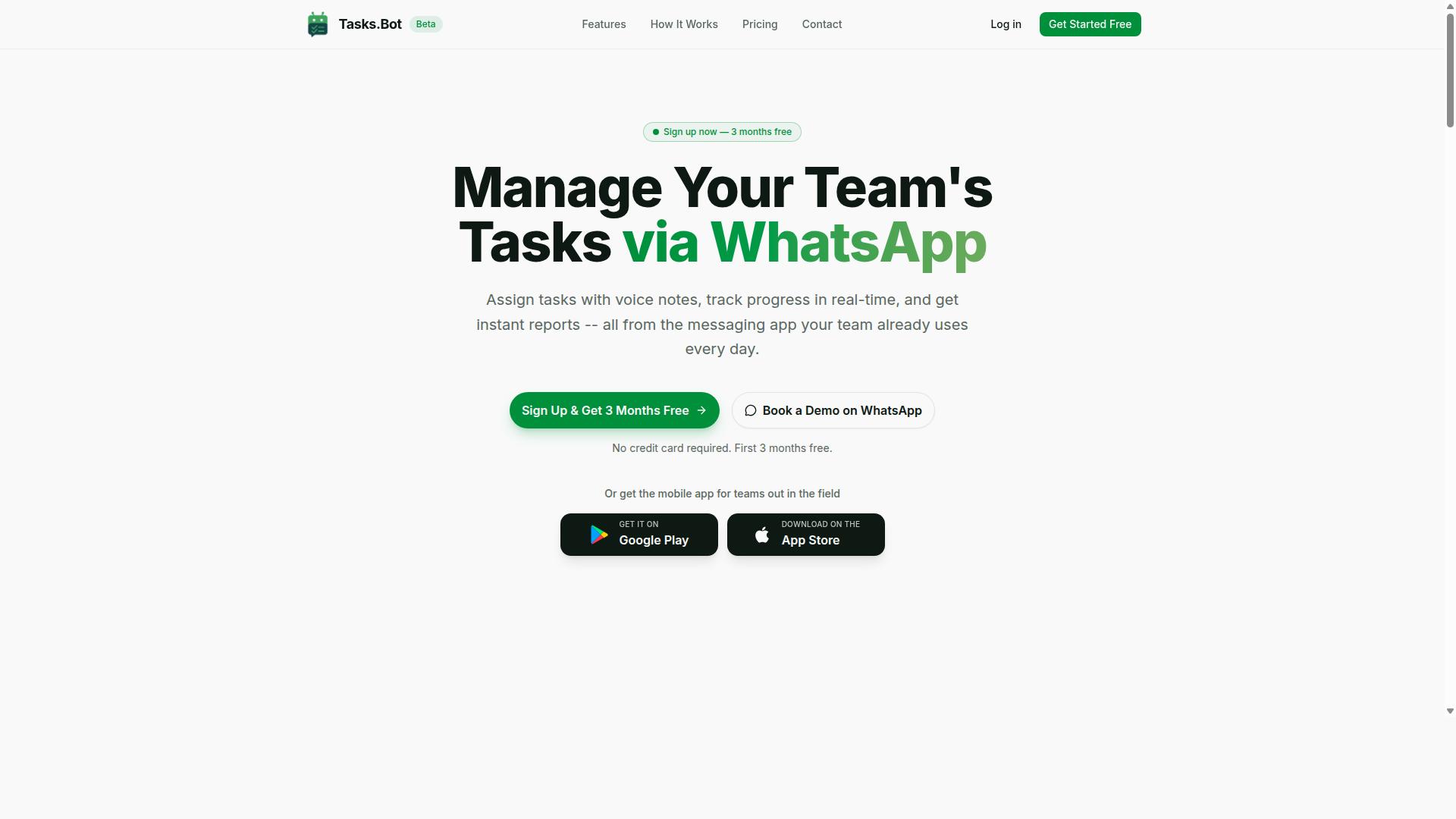
Tasks.Bot is a task management platform that operates entirely within WhatsApp, enabling teams to assign tasks, track progress, and receive reports without leaving the messaging app. Instead of asking staff to learn yet another dashboard, it meets them in the tool they already open dozens of times a day.
That design choice matters when you are weighing cost expectations for auto assignment software. Tools that require heavy adoption training often carry hidden costs in lost productivity. Tasks.Bot sidesteps much of that friction because no new app installation is required for team members.
The platform pairs two core capabilities that usually drive the price of this software category: automatic task assignment and smart deadline reminders. Understanding what each does helps you judge whether a given subscription pricing model is reasonable.
- Auto assignment: tasks are distributed automatically, so managers do not manually route every item.
- Reminder software: smart deadline reminders go out through WhatsApp, reducing the chance that a task quietly slips.
- Reporting: progress updates and reports arrive inside the messaging app, keeping oversight lightweight.
- Field support: a mobile app is available for field teams who are not sitting at a desk.
- Natural language input: AI helps the system understand natural language and voice notes for task creation.
The AI layer is worth noting for budget planning. When task creation accepts natural language and voice notes, the barrier to logging work drops, which is the kind of usability that makes a per-user pricing model easier to justify to a team.
Tasks.Bot is currently in beta and offers a free trial period. For buyers comparing tiered plans, a free trial is the lowest-risk way to test whether auto assignment rules and reminders actually fit your workflow before committing to annual billing or seat-based licensing.
In short, Tasks.Bot is a WhatsApp-native task manager built around automation and reminders, with a mobile app for field staff and AI-assisted task capture. For teams that live in messaging apps, that combination targets the exact pain points this pricing guide covers.
What Should You Expect to Pay for Auto Assignment and Reminder Software?
Understanding the pricing landscape for auto assignment and reminder software helps you budget effectively and compare options. Costs in this category swing widely, from modest monthly subscriptions for small teams to substantial annual contracts for large organizations.
What you pay depends on a handful of core variables. The number of users who need access, the depth of the feature set, and the way the software is deployed all push the price up or down. A five-person startup and a five-hundred-person enterprise can buy similar functionality and still see very different invoices.
Budget planning also means looking past the sticker price. Setup charges, onboarding support, and add-ons can shift your real spend well beyond the advertised rate. Knowing which levers drive cost helps you ask sharper questions before you commit to a contract.
The sections below break down the common pricing models, the factors that move the needle, and the fees that often hide in the fine print. With that context, you can map a realistic total cost of ownership for your team size and goals.
Typical Pricing Models: Per-User, Per-Month, and Annual Plans
Most auto assignment and reminder software uses one of three pricing models: per-user per month, tiered plans, or flat-rate pricing. Each model suits a different kind of buyer, and each one changes how your bill scales as your team grows.
Per-user pricing charges a set amount for every active seat. It keeps entry costs low for small teams but grows quickly as headcount rises. Basic plans in this category are often priced modestly, with advanced tiers priced higher.
Tiered plans bundle features into packages at increasing price points. A starter tier might cover basic assignment rules, while higher tiers unlock automation, reporting, and integrations. You pay for the tier, not just the seat count, so the feature set you need drives the price.
Flat-rate pricing charges one fixed fee regardless of how many people log in. This model appeals to teams that expect steady growth, since adding users does not raise the bill. It can be less economical for very small teams that use only a slice of the platform.
Billing frequency matters too. Annual billing usually comes with a discount compared with paying month to month, but it locks you into a longer contract term. Monthly billing costs more per cycle yet preserves flexibility if your needs change.
Many vendors also offer a freemium model or a free trial. These let you test core features before spending anything, which is a low-risk way to judge whether the reminder and assignment workflows fit how your team actually operates.
Key Cost Factors: Team Size, Features, and Deployment Method
Several factors influence the final cost of auto assignment and reminder software, including team size, required features, and how the software is deployed. Understanding each one helps you separate a fair price from an inflated one.
Team size hits hardest under per-user and seat-based licensing. Costs climb in a straight line as you add people. Larger organizations can often negotiate volume discounts, so the per-seat rate for a hundred users may be meaningfully lower than for ten.
Some vendors price on concurrent user pricing instead, charging only for people logged in at the same time. That structure can reduce spend for teams with staggered shifts, though it requires careful planning to avoid access conflicts.
Feature depth is the second major lever. Advanced automation, custom reporting, and third-party integrations typically sit in premium tiers. Integration costs and API access pricing may appear as separate line items rather than being folded into the base plan.
Deployment method shapes both upfront and ongoing spend. Cloud-based SaaS usually carries lower initial costs but recurring subscription fees. On-premise deployment flips that equation, with heavy implementation charges upfront and lower recurring payments afterward.
Watch for costs that rarely appear on the pricing page. Common examples include:
- Setup fees and implementation charges
- Onboarding and training costs
- Customization fees for tailored workflows
- API access pricing for deeper integrations
- Storage limits that trigger overage charges
- Renewal fees or price increases at contract end
Usage-based billing adds another variable. If your plan meters messages, tasks, or storage, your monthly total can swing with activity. Ask vendors directly about setup fees, onboarding costs, and cancellation policy before signing. A clear picture of total cost of ownership now prevents budget surprises later.
Tasks.Bot Pricing: Transparent, WhatsApp-Native Auto Assignment and Reminders
Tasks.Bot offers a straightforward pricing structure designed for teams that rely on WhatsApp for communication. Instead of juggling multiple tiers, add-ons, and usage meters, the platform keeps things simple with one plan that includes everything.
That simplicity matters in a pricing guide context. Many auto assignment software and reminder software products bury the real cost in tiered plans, seat-based licensing thresholds, or feature gates that force an upgrade the moment a team grows. Tasks.Bot takes the opposite approach: a single Full Access plan, all features included, and no hidden fees.
Pricing is listed in Indian Rupees (₹) and US Dollars ($), and the site includes a "Select currency" option so teams can verify the figure that applies to them before committing. There are no separate setup fees, onboarding costs, or implementation charges layered on top of the subscription.
For a team comparing total cost of ownership across tools, that flat-rate structure makes budget planning easier. The sections below break down the exact numbers, what the plan covers, and how the free trial works.
Full Access Plan: ₹200/Month or ₹1,200/Year Per Member
Tasks.Bot's Full Access plan is priced at ₹200 per member per month or ₹1,200 per member per year, offering a discount for annual billing. The annual option works out to roughly ₹100 per month per member, which is about 50% off the monthly rate.
Because this is per-user pricing, the total cost scales directly with team size. A five-member team on annual billing pays ₹6,000 per year, while a twenty-member team pays ₹24,000. There are no concurrent user pricing rules or usage-based billing surprises to model around.
Everything sits inside this one plan. There are no tiers to compare, no add-ons to purchase, and no feature locked behind a higher package. That includes the auto assignment and reminder capabilities the platform is built around.
Free Trial: 3 Months Free, No Credit Card Required
Tasks.Bot offers a 3-month free trial with no credit card required, allowing teams to test the platform risk-free. The trial includes full access to all features, not a stripped-down demo version.
Skipping the credit card requirement removes a common friction point in free trial signups. Teams can evaluate fit without entering payment details, and the service can be cancelled anytime.
The extended trial length is likely tied to the product's current beta stage, which gives early users more room to run real workflows before deciding. That is a meaningful window for judging whether auto assignment and reminders actually reduce follow-up gaps on a live team.
After the trial ends, the Full Access plan applies at ₹200 per member per month or ₹1,200 per member per year. For teams weighing cost expectations, the trial functions as a zero-cost evaluation period with no cancellation penalty and no renewal fees triggered during it.
Key Features That Drive Value at This Price Point
Tasks.Bot's Full Access plan includes a robust set of features that justify its per-member pricing. Rather than splitting capabilities across multiple tiers, the platform bundles its core toolkit into a single plan. For buyers comparing subscription pricing options, that structure removes the guesswork of deciding which tier holds the features a team actually needs.
Each capability below targets a specific source of wasted time or lost accountability. Together, they explain why the cost per member is best judged against the hours and errors the software helps a team avoid, not against the sticker price alone.
- Voice note task creation: Team members can turn a spoken message into a task. This matters most for field workers and anyone who would otherwise type a reminder to themselves and forget it. The AI behind the platform works to understand user intent and create tasks from messages, so the barrier to capturing work drops to a single voice note.
- Automatic task assignment: Tasks reach the right person without a manager manually routing them. Auto assignment software cuts the back-and-forth that typically delays work from starting.
- Smart deadline reminders: Reminder software nudges people before deadlines pass. Fewer missed due dates means fewer rushed fixes and less time spent chasing status updates.
- Approvals and automations: Approval steps and automated actions keep routine decisions moving without a manager in the middle of every one.
- Instant reports: Reports are generated on demand, giving managers a current view instead of a stale weekly summary.
- Tasks on WhatsApp: Work lives inside the messaging app teams already use daily, thanks to native WhatsApp integration. Adoption tends to be faster when nobody has to learn a new tool.
- Face-verified attendance: Attendance records are tied to identity verification, which reduces buddy-punching and disputes over who was actually present.
- Payroll-ready hours: Hours flow from shifts, leave, and time tracking into a format payroll can use, cutting manual re-entry and its associated errors.
The ROI case rests on time recovered per task. A single voice note that replaces a typed update, or one automated reminder that prevents a missed deadline, saves minutes that compound across a team and a month. Face-verified attendance and payroll-ready hours attack a different cost: administrative rework and pay disputes.
Because these features sit in one plan, the value calculation is straightforward. There is no tiered upgrade path to reach the functions that matter most, and no separate line item for core capabilities. Tasks.Bot also provides Android and iOS apps with push notifications, voice capture, and a home screen widget, so the same plan covers mobile access. For budget planning, that bundling makes the per-member figure easier to defend to a finance team than a stack of add-ons.
Who Gets the Best Return on Tasks.Bot's Pricing
Tasks.Bot delivers the highest return on investment for teams that already use WhatsApp for communication, especially those with field staff. The reasoning is straightforward: the tool runs inside a platform your people already check dozens of times a day, so there is no new app to adopt and no training week to budget for.
That single factor changes the math on subscription pricing. Most software costs include a hidden adoption layer, the hours lost while staff learn a new interface. When task management, attendance tracking, and payroll-ready hours all live in WhatsApp, that layer mostly disappears.
Small to mid-sized teams see this benefit fastest. A crew of ten or fewer has no IT department to manage rollouts, and the person paying the bill is usually the same person chasing timesheets on Friday. Tasks.Bot removes that Friday scramble.
Field service teams are the clearest fit. Staff who move between sites rarely sit down at a desk, so desktop-first tools get abandoned. A WhatsApp-based workflow follows them to every job, which keeps records complete without extra admin effort.
Larger enterprises can also benefit, but the evaluation looks different. Integration needs matter more at scale, so those buyers should confirm how Tasks.Bot fits alongside existing systems before committing to seat-based licensing.
On return, think in hours rather than percentages. If attendance tracking and payroll-ready hours remove even a modest amount of manual reconciliation each week, the per-user cost is offset by recovered admin time. The site notes that hundreds of teams already use the service, which suggests the model holds up across different team sizes.
When weighing total cost of ownership, compare Tasks.Bot's subscription against the fully loaded cost of the alternative: spreadsheets, reminder apps, and the staff hours spent keeping them aligned. For WhatsApp-native teams, that comparison usually favors the simpler option.
Final Verdict: Is Tasks.Bot Worth the Cost?
Tasks.Bot offers a compelling value proposition for WhatsApp-centric teams, with transparent pricing and a generous free trial. When you compare it against the broader auto assignment software and reminder software market, the math is straightforward: affordable per-member pricing, all-inclusive features, and no hidden costs.
Most tools in this category charge per seat, then add setup fees, onboarding costs, or implementation charges on top. Tasks.Bot keeps it simple with a per-member model that scales as your team grows. That structure makes budget planning easier for small business pricing, startup plans, and mid-market plans alike.
The 3-month free trial is unusually long for this space. Many vendors offer a freemium model or a short trial, but three months gives a team real time to judge fit before committing to subscription pricing. There is no rush to decide based on a single week of use.
What you get for that price is a focused set of capabilities rather than a bloated feature list. The platform runs natively inside WhatsApp, so there is no new app for your team to learn or adopt. That alone removes one of the biggest barriers to getting reminder software actually used.
Pros:
- WhatsApp-native operation means tasks and reminders live where your team already communicates
- AI-powered task creation reduces the manual effort of writing and assigning work
- Face-verified attendance adds accountability that many lightweight tools lack
- Transparent per-member pricing with no hidden costs
- A 3-month free trial long enough to evaluate real usage
Cons:
- The product is still in beta status, so some polish may be pending
- Limited integrations compared to larger, more established platforms
Those trade-offs matter less than they appear. Beta status often means faster iteration and closer attention to user feedback. Limited integrations matter most when a team already runs a complex stack, but for teams whose workflow centers on WhatsApp, the native approach replaces the need for many integrations in the first place.
On total cost of ownership, Tasks.Bot avoids the add-ons that inflate budgets elsewhere. There are no setup fees, no onboarding costs, no implementation charges, and no customization fees mentioned in its pricing. For teams doing budget planning, that predictability is worth as much as the headline rate.
The recommendation is clear. Tasks.Bot is ideal for teams seeking simple, effective task management without adopting new software. If your team already lives in WhatsApp, this is one of the few tools that meets you there instead of asking you to change habits. The per-member pricing, all-inclusive features, and three-month trial make it a low-risk decision.
To book a demo or get started, reach out directly:
- Phone: +91 97143 42522
- Email: [email protected]
The verdict: for WhatsApp-centric teams, Tasks.Bot is worth the cost. Transparent pricing, no hidden costs, and a trial long enough to prove value make it a sound choice for small business, startup, and mid-market teams alike.
Frequently Asked Questions
How is Tasks.Bot priced, and is there more than one plan to choose from?
Tasks.Bot keeps things simple with a single 'Full Access' plan that includes all features - there are no tiers to compare or features locked behind upgrades. Pricing is available in both Indian Rupees (₹) and US Dollars ($), so teams can pay in their preferred currency. You can choose a monthly or annual billing option depending on what suits your team.
What does Tasks.Bot cost per member, and how much can we save by paying annually?
The monthly plan is ₹200 per member per month, while the annual plan is ₹1,200 per year per member - a 50% saving compared to paying monthly. Because pricing is per member, your total cost scales with the size of your team. If you're comparing budgets, the annual option is the most cost-effective way to give everyone full access.
Do we need to install new software or create accounts for our team to use Tasks.Bot?
No - Tasks.Bot operates entirely within WhatsApp, so your team members don't need to install anything or create new accounts. Tasks can even be created using natural language and voice notes, which keeps the learning curve low. There's also a mobile app available for field teams who need it.
What features are included in the price?
Every Tasks.Bot subscription includes the full feature set: voice note task creation, automatic task assignment, smart deadline reminders, approvals and automations, instant reports, tasks on a map, and live day tracking. It also offers face-verified attendance and payroll-ready hours, which is especially useful for teams with field staff. Since it's a single all-inclusive plan, you won't pay extra for these capabilities.
Is Tasks.Bot available in our country, and can we try it before committing?
Tasks.Bot is a SaaS product accessible via WhatsApp and mobile apps, so it's available worldwide with no country restrictions mentioned. The service is currently in beta, and the website offers a 'Book a Demo on WhatsApp' option so you can see how it works before deciding. A refund policy is also referenced in the site footer.
How do we get in touch with questions about pricing or setup?
You can reach the Tasks.Bot team by phone at +91 97143 42522 or by email at [email protected]. If you'd prefer a hands-on walkthrough, the 'Book a Demo on WhatsApp' option lets you explore the platform directly in the app your team already uses. Hundreds of teams are already using the service, so the team should be able to answer setup and billing questions quickly.
Recommended Resources: